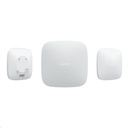
Hub Control panel (SIM 2G, Ethernet)
hub2G (single SIM)
Ethernet
Video surveillance support
Automation scenarios
Notify users via push notifications, calls and SMS
Connect to security company CMS
Control and configuration via Ajax applications
Communicate with devices at a distance of up to 2000 meters
Specifications
| اللون | ابيض or اسود |
The Hub Control Panel (SIM 2G, Ethernet) is a versatile security solution designed for modern homes and businesses. With its ability to connect via a single SIM and Ethernet, it ensures reliable performance and seamless integration with various security systems.
This control panel supports video surveillance and offers automation scenarios, making it an essential component for comprehensive security management.
- Supports 2G SIM connectivity for reliable communication
- Ethernet connectivity for stable network access
- Video surveillance support for enhanced security monitoring
- Automation scenarios for customizable security responses
- Push notifications, calls, and SMS alerts for immediate updates
- Connects to security company CMS for professional monitoring
- Control and configuration via Ajax applications
- Communicates with devices up to 2000 meters away
| Attribute | Details |
|---|---|
| Internal Reference | hub |
| Connectivity | 2G SIM, Ethernet |
| Video Surveillance | Supported |
| Communication Range | Up to 2000 meters |
- Hub Control Panel
- Power Adapter
- User Manual
- Mounting Kit
This product comes with a standard warranty and support for any issues that may arise. Please refer to the warranty documentation for more details.
What is the communication range of the Hub Control Panel?
The Hub Control Panel can communicate with devices up to 2000 meters away.
Can I connect the Hub Control Panel to a security company?
Yes, it can connect to a security company CMS for professional monitoring services.
What types of alerts does the Hub Control Panel provide?
The panel can notify users via push notifications, calls, and SMS.
To install this Web App in your iPhone/iPad press
and then Add to Home Screen.