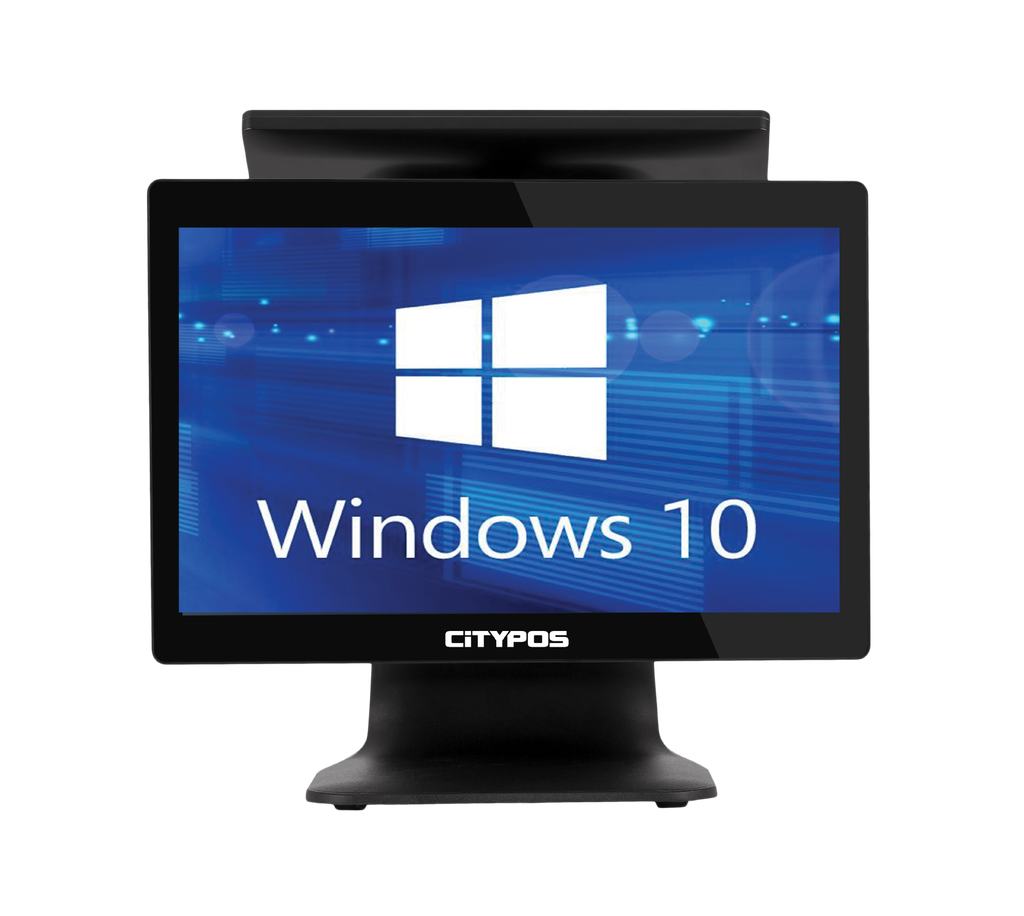
جهاز نقطة بيع سيتي بوس CP-TW810-I5-LED-256GB
CP-TW810-I5-LED-256GB"CITYPOS POS 15.6"" TERMINAL WITH 11.6"" BACK DISPLAY LED
(i5 INTEL, 4GB DDR RAM, 256GB SSD)"
The جهاز نقطة بيع سيتي بوس CP-TW810-I5-LED-256GB is a point-of-sale terminal designed for electronic billing and cash register applications. It features a 15.6-inch main display and an 11.6-inch back display, powered by an Intel i5 processor, 4GB of DDR RAM, and a 256GB SSD for storage. This device is suitable for retail and hospitality businesses that require efficient transaction processing.
The جهاز نقطة بيع سيتي بوس CP-TW810-I5-LED-256GB is a point-of-sale terminal suitable for retail and hospitality businesses needing efficient billing solutions.
The CITYPOS CP-TW810-I5-LED-256GB is a powerful point-of-sale terminal designed for efficiency and ease of use. With its sleek 15.6-inch touchscreen and an additional 11.6-inch back display, this device is perfect for any retail or hospitality environment.
Equipped with an Intel i5 processor, 4GB of RAM, and a 256GB SSD, it ensures smooth operation and quick transactions, making it an ideal choice for modern businesses.
- Product Name: جهاز نقطة بيع سيتي بوس CP-TW810-I5-LED-256GB
- Category: أجهزة الكاشير والفوترة الالكترونية
- Main Display: 15.6 inches
- Back Display: 11.6 inches
- Processor: Intel i5
- RAM: 4GB DDR
- Storage: 256GB SSD
| Feature | Details |
|---|---|
| Model | CP-TW810-I5-LED-256GB |
| Screen Size | 15.6 inches |
| Back Display | 11.6 inches |
| Processor | Intel i5 |
| RAM | 4GB DDR |
| Storage | 256GB SSD |
- May be suitable for retail stores for efficient transaction processing.
- May be used in restaurants for managing orders and payments.
- Can assist in inventory management for businesses requiring detailed sales tracking.
- CITYPOS CP-TW810-I5-LED-256GB Terminal
- Power Adapter
- User Manual
- Warranty Card
This product comes with a standard warranty for your peace of mind. For any support or service inquiries, please contact our customer service team.
What is the جهاز نقطة بيع سيتي بوس CP-TW810-I5-LED-256GB?
It is a point-of-sale terminal designed for electronic billing and cash register applications.
What are the main features of this device?
It features a 15.6-inch main display, an 11.6-inch back display, Intel i5 processor, 4GB RAM, and 256GB SSD.
Who can use this point-of-sale terminal?
This device is suitable for retail and hospitality businesses.
What type of businesses is this device suitable for?
It is suitable for retail stores and restaurants that require efficient transaction processing.

To install this Web App in your iPhone/iPad press
 and then Add to Home Screen.
